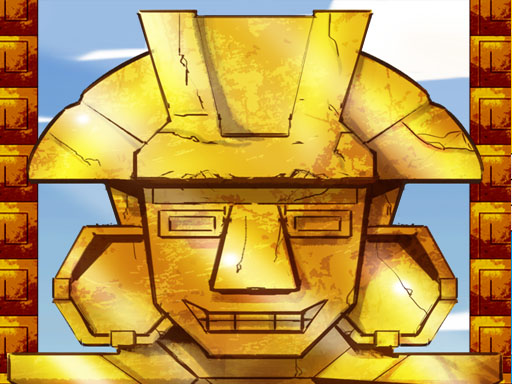
Splatcha!
- 2 Player
- Landscape
- 1280 × 720
- Free to play
The compressed key layout in Splatcha! is the point, not the limitation: both players working around each other on the same input device creates a social game layer that the mechanic alone would not generate.

Splatcha! is embedded from a licensed HTML5 distribution partner and remains the property of its developer.
Splatcha! at a glance
Splatcha! is a fast, juicy territorial paint duel. Two blobby rivals, one arena, 90 seconds - most floor covered Wins! Modes: 2-player local, 1-player vs bot (3 difficulties), arcade tower. Fight across 5 unique arenas, grab power-ups, crack golden chests and survive. Confetti guaranteed!
Cooperative two-player games introduce a coordination challenge that solo games cannot replicate: the timing between two players is harder to synchronise than the timing of a single one, which makes a clean joint execution more satisfying. The social layer of two-player games accounts for a significant portion of the fun: the mechanic provides the structure, but the rivalry, negotiation, and commentary between the two players is what makes sessions memorable.
Playing Splatcha!: controls and objectives
Splatcha! is a keyboard game, which means a physical keyboard gives you the cleanest control.
Controls Player 1 Wasd to move hold to paint automatically Space to dash Player 2 Arrow keys 0 or Enter to dash Gamepads supported On mobile touch zones play in landscape P button pause sound.
On phones and tablets, on-screen touch input takes over. Turning the device to landscape gives the play area more room, which matters in a two-player game where you need to see what is coming. Use the fullscreen button above the frame if you want the game to fill your display.
Technical details
| Category | 2 Player |
|---|---|
| Style | 2 player games, action |
| Technology | HTML5 / WebGL — runs in the browser |
| Screen orientation | Landscape (horizontal) |
| Native resolution | 1280 × 720 |
| Touch support | Limited — keyboard recommended |
| Skills exercised | turn management, spatial keyboard awareness |
| Added to library | 24 June 2026 |
| Tags | 1 Player, 2 Player Games, Action, Arcade, Battle, Cute |
Tips and strategy
Splatcha! rewards turn management more than raw speed, and a few habits separate a short run from a long one.
- In fighting-style two-player games, learn the fastest startup move in your kit and use it primarily to condition your opponent's defenses; from there, slower more powerful moves land more reliably because the fast threat has changed their timing.
- In alternating-turn formats, use your opponent's turn to plan two moves ahead, not just one; the player who arrives at their turn already knowing their intended response consistently makes better decisions than one who thinks only on their own clock.
- In cooperative puzzle or platformer games, designate roles explicitly: one player handles a specific zone or task while the other handles another; role ambiguity causes the majority of co-op failures.
- Do not play all your strongest moves early in a turn-based format; holding a capable response in reserve changes what your opponent will attempt, even in games with no visible resource counter.
- Before starting, agree with your co-player on which set of keys belongs to each person and test them once outside a live round; keyboard confusion in the opening seconds of a competitive game hands points to the other side.
FAQ
Is there any way to play browser two-player games with a friend who is not in the same room?
Not with the shared-keyboard format; these games are designed for physical co-presence. Playing side by side in front of the same screen is the intended experience, and the social energy of local play is the core of the format.
What types of two-player games work best for people new to the format?
Turn-based sports and board-game adaptations have the lowest entry barrier because thinking time is built in. Shared-screen cooperative games are friendly to mixed-skill pairs. Fast competitive formats require both players to be comfortable with the control scheme first, so a practice round before scoring begins is worth the setup time.
How do two players share one keyboard without interfering with each other?
The key layouts in two-player games are split to opposite sides of the keyboard: one player uses keys on the left half, the other uses keys on the right. This lets both players reach their controls without crossing hands, though a slightly wider physical separation than normal comfortable typing position helps.
Is Splatcha! free to play?
Yes, it is completely free. Splatcha! runs on this page at no cost, with no subscription and no unlocking fee for the main game.
Does Splatcha! work on mobile devices?
Splatcha! is designed around keyboard and mouse input, so a desktop or laptop gives the best experience. It will open on a tablet or phone, but precise controls may be harder without a physical keyboard.
Come back with the same player, or a different one, and the game will present differently based entirely on who is sitting beside you; that variability is the genre's most durable feature.